
1. Collaboration Invitations will appear in your  notifications
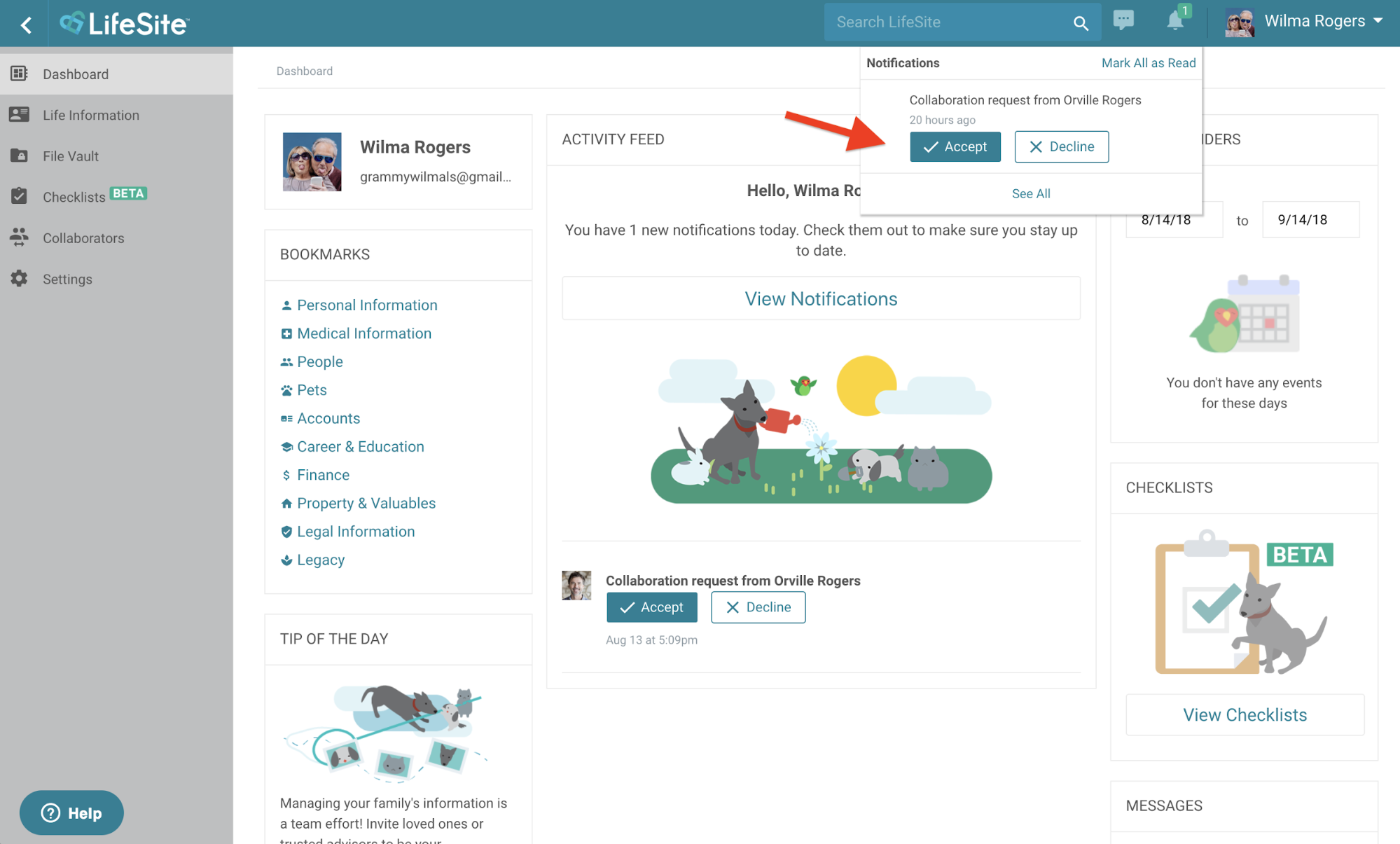
2. Accept or Decline the Invitation
3. If you accept the invitation, you will be prompted to enter your Collaboration Key.
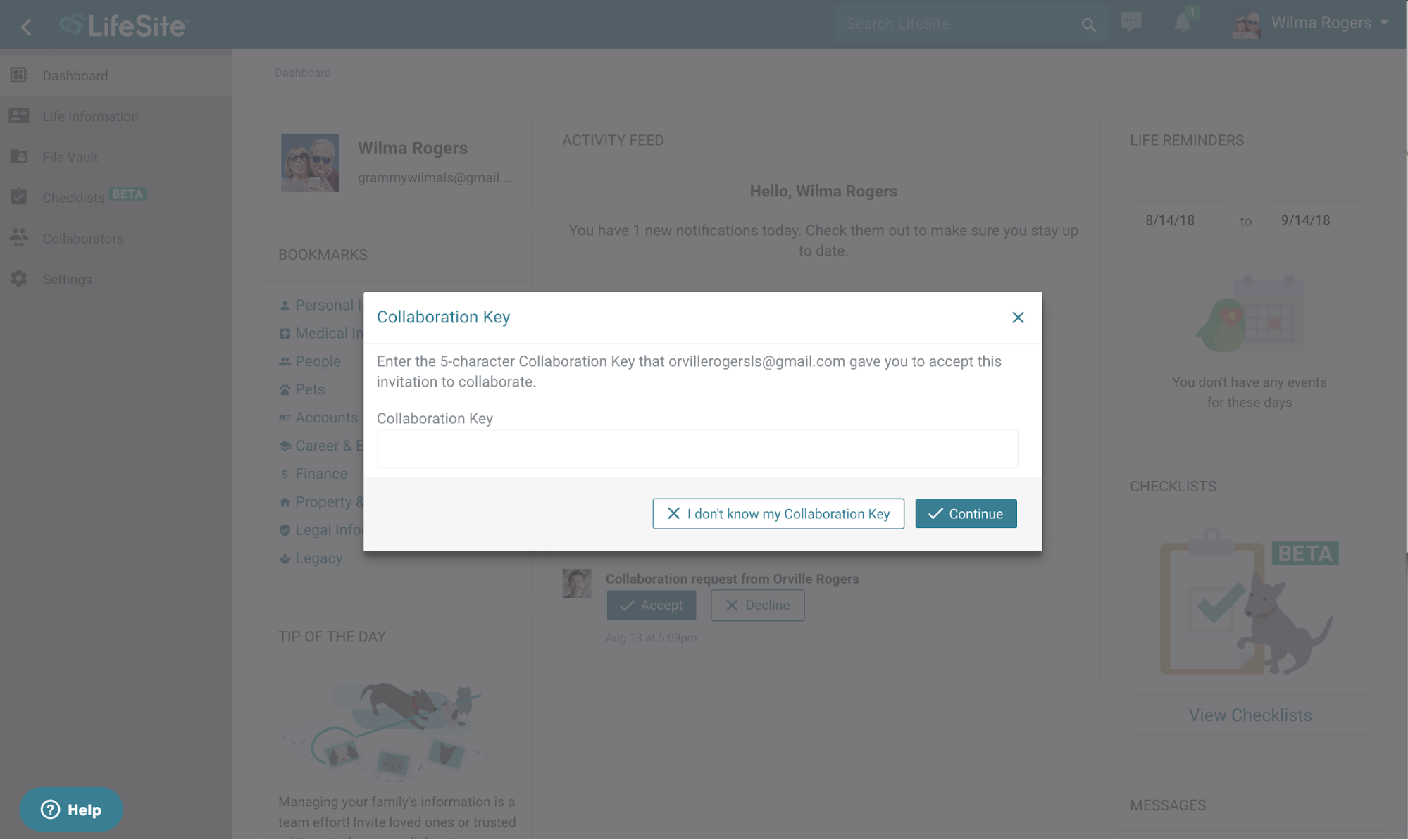
4. After entering your Collaboration Key, you will be prompted to set permissions for your collaborator. By default, your collaborator will be blocked from all parts of your Lifesite.
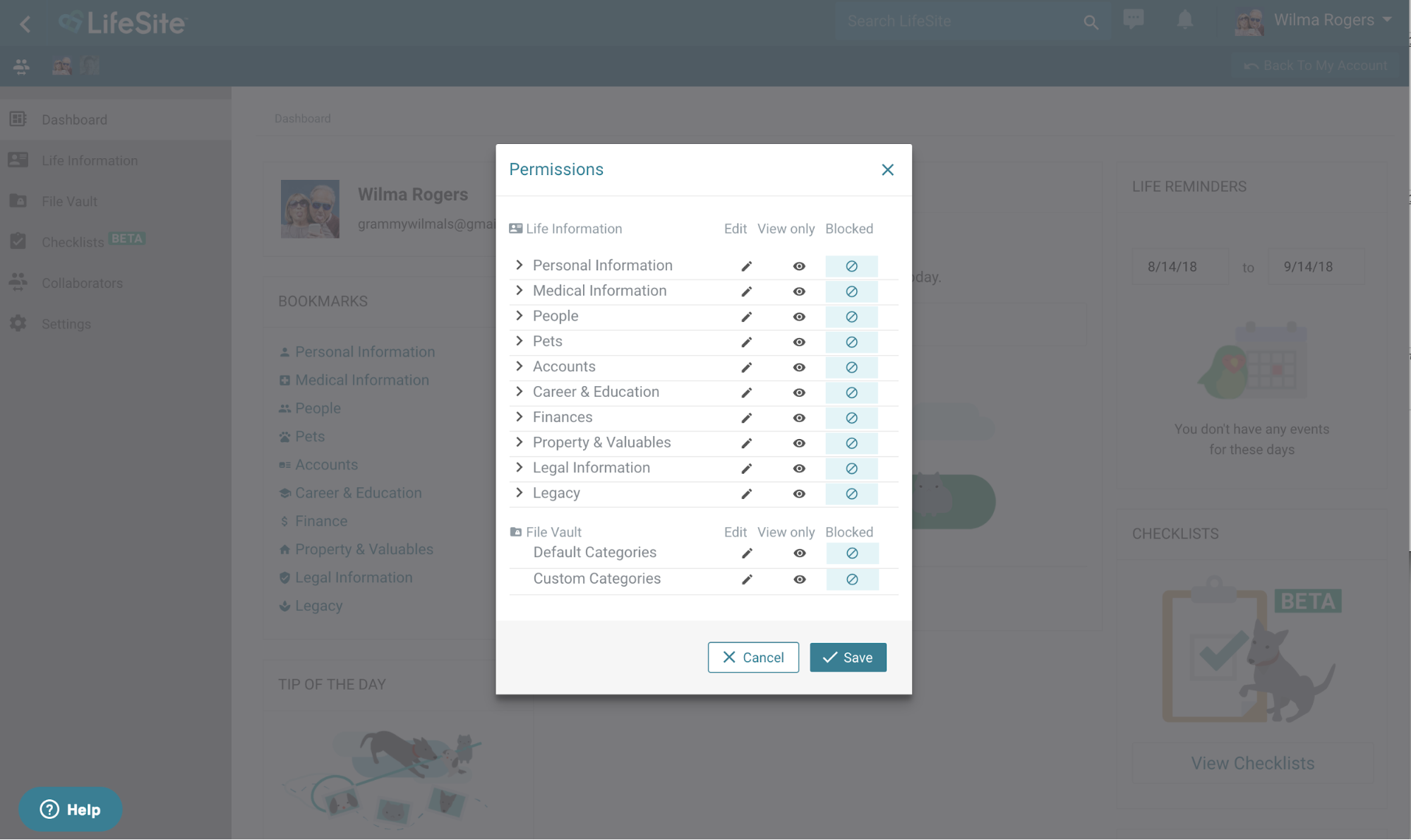
5. You can update these permissions at any time from your  Collaborators page.
Learn More
Permission Levels
Collaboration Key
Comments
0 comments
Article is closed for comments.